
 Grafana Cloud
Security and account management
Authentication and authorization
Role-based access control (RBAC)
Provisioning RBAC with Terraform
Grafana Cloud
Security and account management
Authentication and authorization
Role-based access control (RBAC)
Provisioning RBAC with TerraformProvisioning RBAC with Terraform
Note
Available in Grafana Enterprise and Grafana Cloud.
You can create, change or remove Custom roles and create or remove role assignments, by using Terraform’s Grafana provider.
Before you begin
Ensure you have the grafana/grafana Terraform provider 1.29.0 or higher.
Ensure you are using Grafana 9.2 or higher.
Create a Service Account Token for provisioning
We recommend using service account tokens for provisioning. Service accounts support fine grained permissions, which allows you to easily authenticate and use the minimum set of permissions needed to provision your RBAC infrastructure.
To create a service account token for provisioning, complete the following steps.
- Create a new service account for your CI pipeline.
- Assign permissions to service account:
- You will need roles “Role reader”, “Role writer” and roles including any permissions that will be provisioned. For example, to create or assign a role that allows creating users, a service account needs permissions to create users.
- Alternatively, you can assign “Admin” basic role to the service account.
- Create a new service account token for use in Terraform.
Alternatively, you can use basic authentication. To view all the supported authentication formats, see here.
Configure the Terraform provider
RBAC support is included as part of the Grafana Terraform provider.
The following is an example you can use to configure the Terraform provider.
terraform {
    required_providers {
        grafana = {
            source = "grafana/grafana"
            version = ">= 1.29.0"
        }
    }
}

provider "grafana" {
    url = <YOUR_GRAFANA_URL>
    auth = <YOUR_GRAFANA_SERVICE_ACCOUNT_TOKEN>
}
Provision basic roles
Basic roles (None, Viewer, Editor, Admin, and Grafana Admin) correspond to a user’s or service account’s organization role. A basic role’s permissions are derived from the organization role, so you manage basic roles by setting the organization role rather than by creating an RBAC role assignment. The grafana_role_assignment resource only assigns fixed and custom roles.
Note
Assigning a basic role such as
basic_adminwithgrafana_role_assignmentfails with the errorthis endpoint cannot be used to assign basic, managed or external services roles.
Set the organization role for a service account
Set the role attribute on the grafana_service_account resource:
resource "grafana_service_account" "admin_sa" {
  name = "terraform_admin_sa"
  role = "Admin"
}
Set the organization role for users
How you set a user’s organization role depends on your Grafana deployment.
Self-managed Grafana: use the grafana_organization resource to manage members by organization role. This resource uses Grafana’s admin API, so it requires basic authentication and manages organization membership authoritatively.
resource "grafana_organization" "org" {
  name    = "my_org"
  admins  = ["admin@example.com"]
  editors = ["editor@example.com"]
  viewers = ["viewer@example.com"]
}
Grafana Cloud: the grafana_organization resource isn’t supported, and no Terraform resource currently sets an individual user’s organization role. Manage organization roles with the PATCH /api/org/users/{user_id} Organization HTTP API endpoint, or through SCIM provisioning or SAML or OIDC role mapping.
Assign a fixed or custom role to a team
Use fixed or custom roles to grant permissions to teams:
resource "grafana_team" "writers_team" {
  name = "terraform_writers_team"
}

# Assign a fixed role to a team
resource "grafana_role_assignment" "writers_team_fixed_role" {
  role_uid = "fixed:dashboards:writer"
  teams    = [grafana_team.writers_team.id]
}
Provision custom roles
The following example shows how to provision a custom role with some permissions.
- Copy this code block into a .tf file on your local machine.
resource "grafana_role" "my_new_role" {
  name  = "my_new_role"
  description = "My test role"
  version = 1
  uid = "newroleuid"
  global = false

  permissions {
    action = "org.users:add"
    scope = "users:*"
  }
  permissions {
    action = "org.users:write"
    scope = "users:*"
  }
  permissions {
    action = "org.users:read"
    scope = "users:*"
  }
  permissions {
	  action = "teams:create"
  }
  permissions {
	  action = "teams:read"
	  scope = "teams:*"
  }
  permissions {
	  action = "teams:write"
	  scope = "teams:*"
  }
}- Run the command
terraform apply. - Go to Grafana’s UI and check that the new role appears in the role picker:
![Role Picker]()
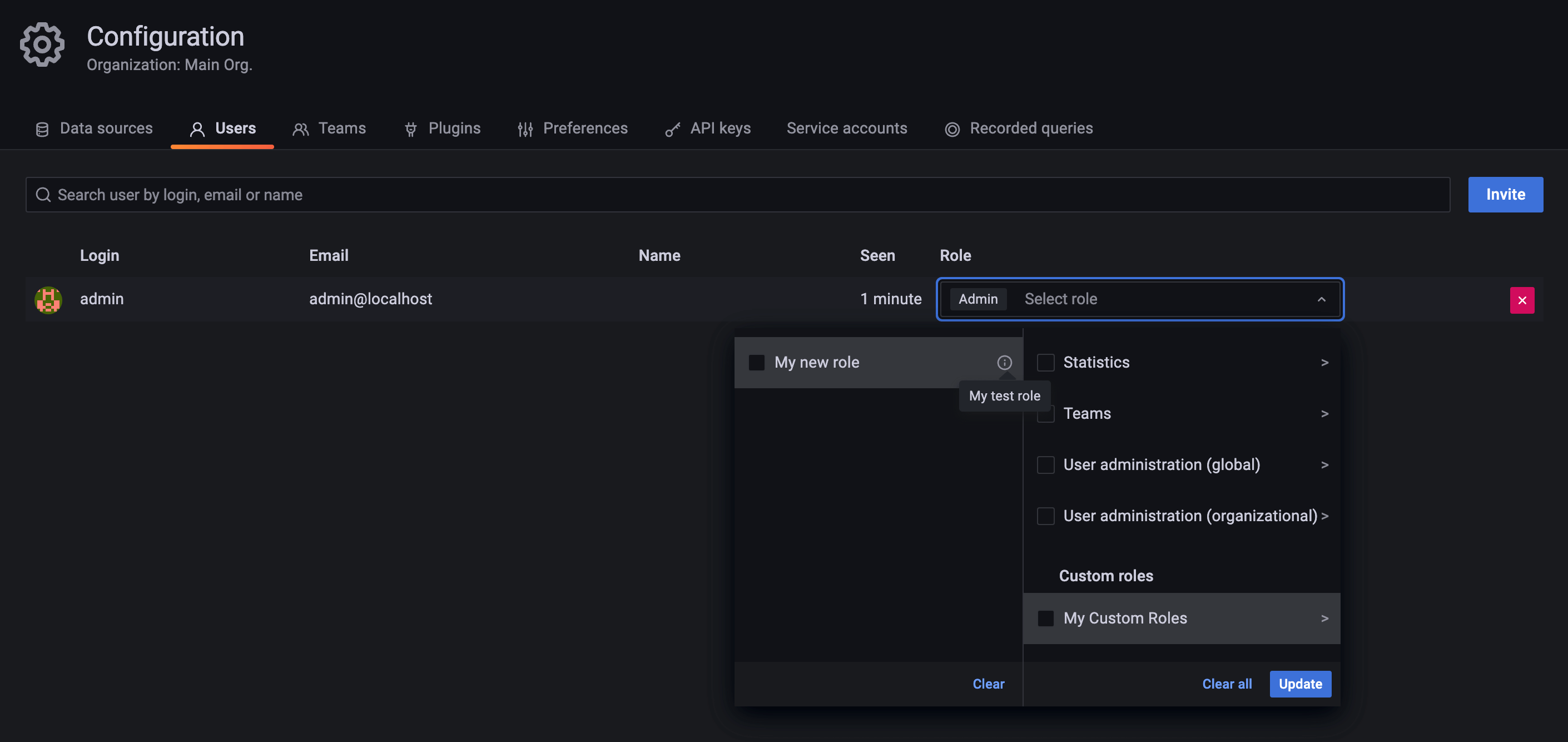
Provision role assignments
The following example shows how to provision role assignments. In this example a team, user and service account are provisioned, and the custom role from the previous example is assigned to them.
- Extend the configuration file from the previous example with the following:
resource "grafana_team" "test_team" {
	name = "terraform_test_team"
}

resource "grafana_user" "test_user" {
	email = "terraform_user@test.com"
	login    = "terraform_test_user"
	password = <TEST_PASSWORD>
}

resource "grafana_service_account" "test_sa" {
  name = "terraform_test_sa"
  role = "Viewer"
}

resource "grafana_role_assignment" "my_new_role_assignment" {
  role_uid = grafana_role.my_new_role.uid
  users = [grafana_user.test_user.id]
  teams = [grafana_team.test_team.id]
  service_accounts = [grafana_service_account.test_sa.id]
}
Substitute
<TEST_PASSWORD>with a test password for your test user.Run the command
terraform apply.Go to Grafana’s UI and check that a user, team and service account have been created, and that the role has been assigned to them:
![User Role Assignment]()
![Team Role Assignment]()
![Service Account Role Assignment]()
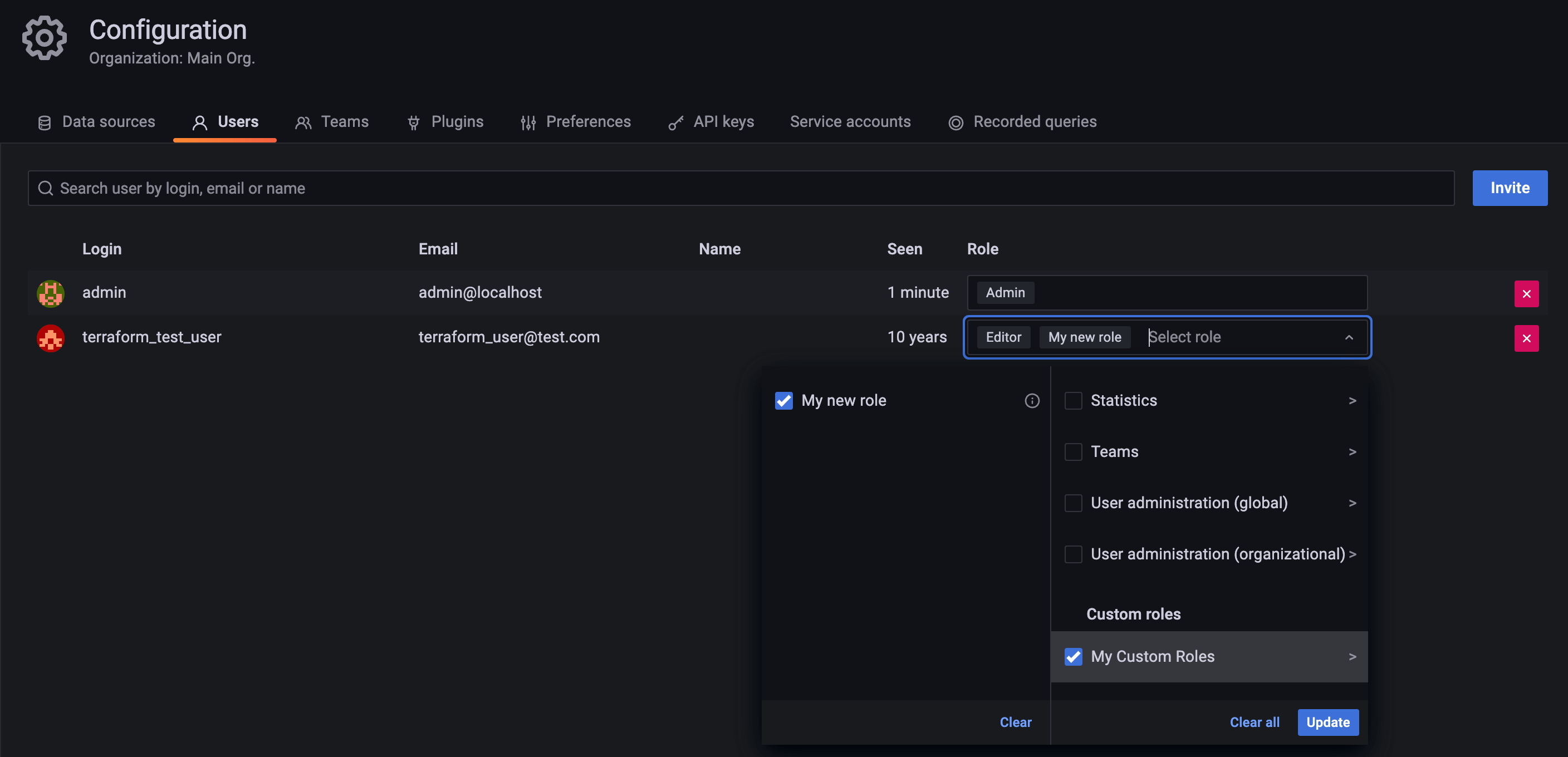
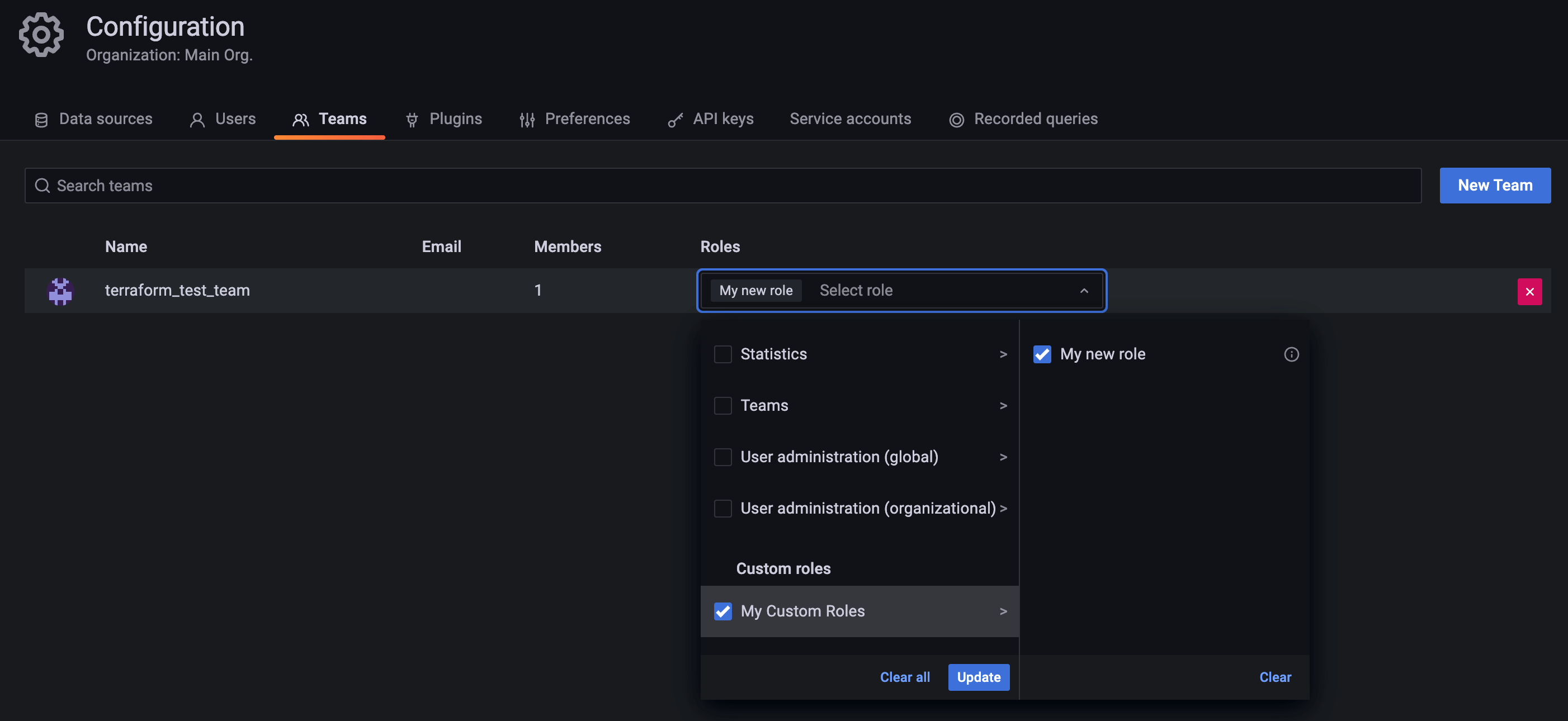
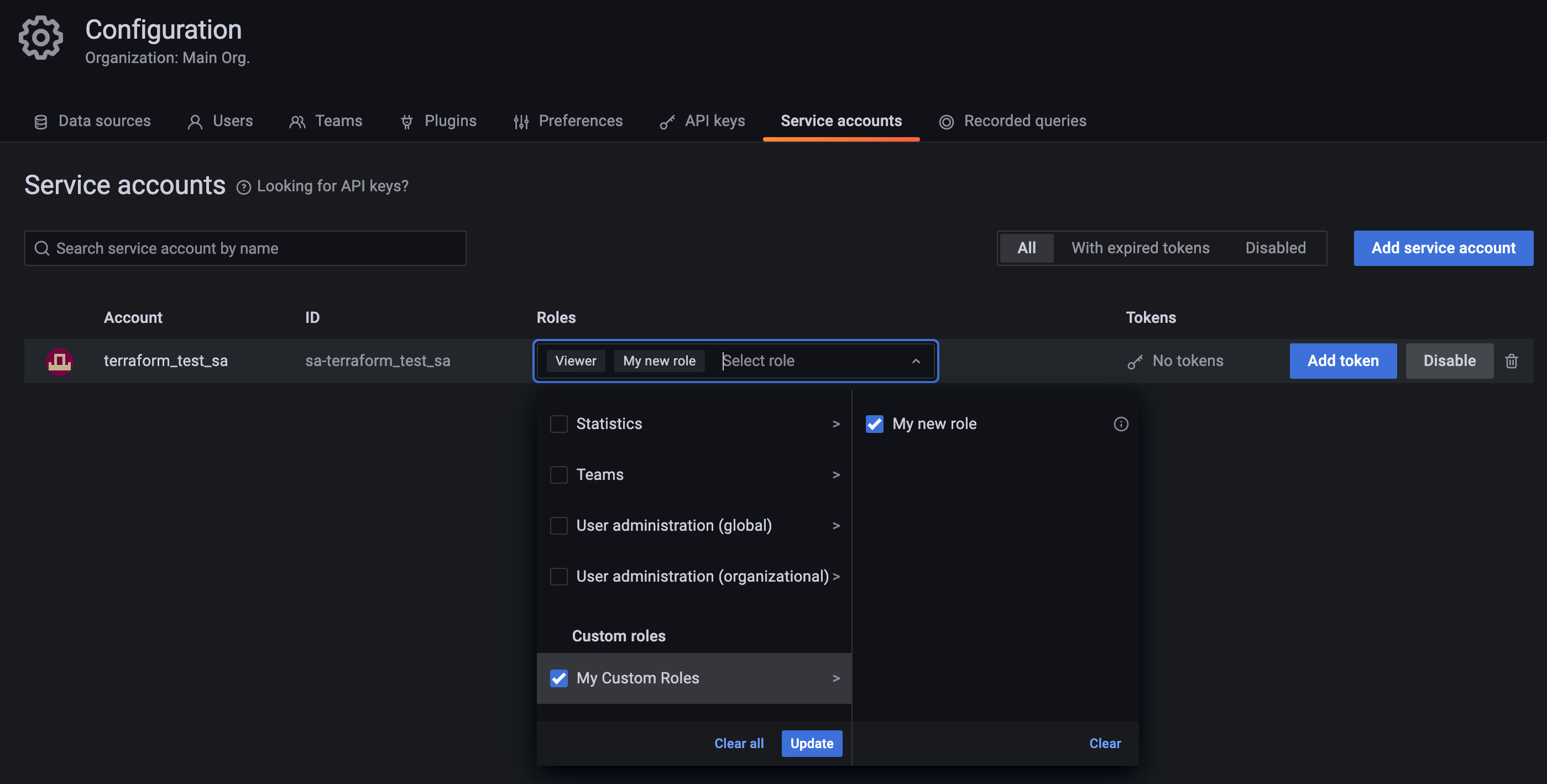
Note that instead of using a provisioned role, you can also look up the uid of an already existing fixed or custom role and use that instead.
You can use the API endpoint for listing roles to look up role uids.
Similarly, you can look up and use ids of users, teams and service accounts that have not been provisioned to assign roles to them.


