

Create a basic on-call schedule
In this milestone, you create a basic schedule that uses a single rotation with team members taking turns to be on call. This schedule lets you route alerts sent to your escalation chain based on the current on-call assignment.
Schedules provide a structured way to manage team on-call coverage and automate shift handoffs. When used in escalation chains, IRM identifies who is on-call for a schedule and sends alert notifications to the appropriate users.
For this example, you configure a 24-hour daily handoff rotation:
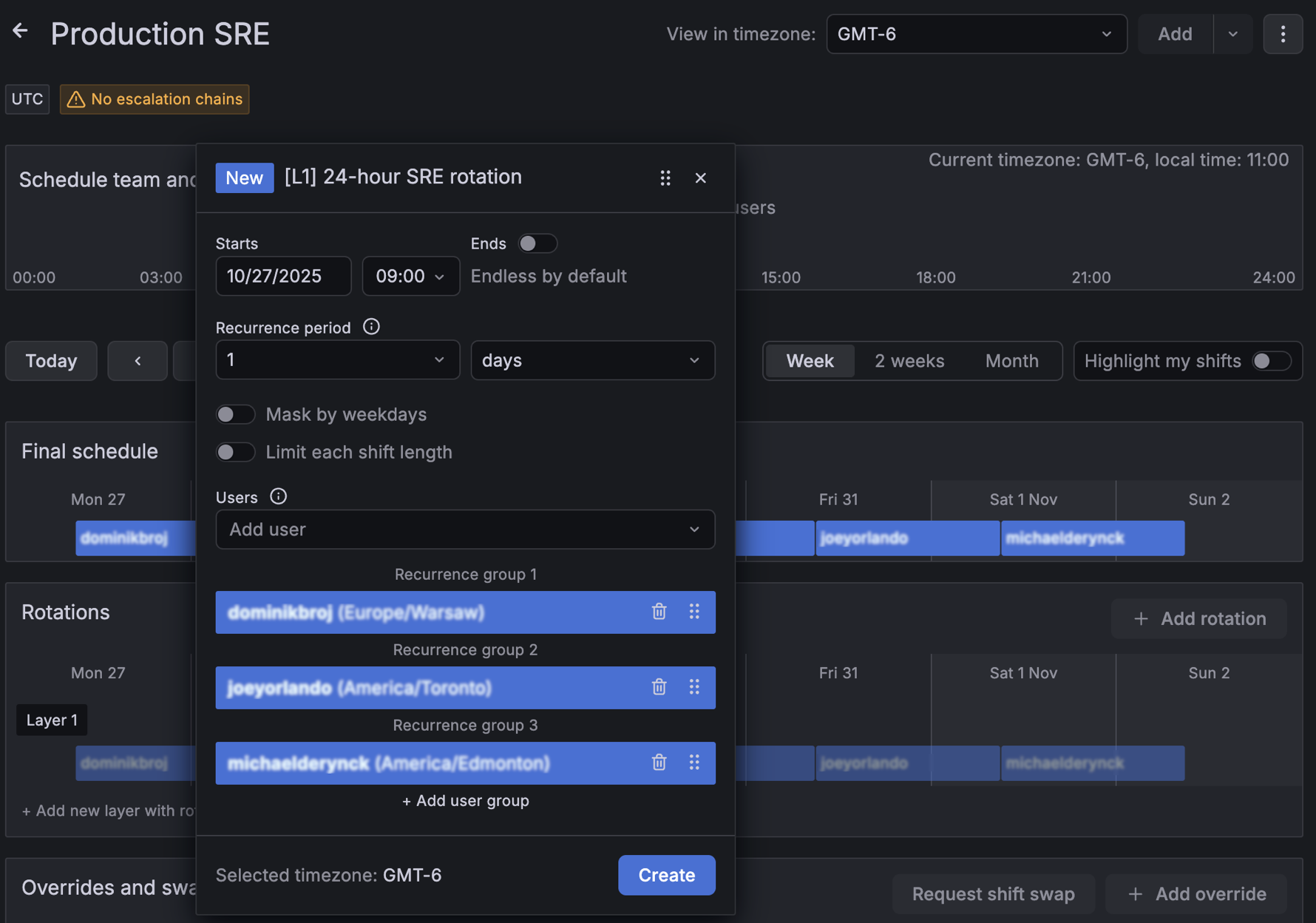
To create a new schedule, complete the following steps:
Create a new on-call schedule.
Now configure a single rotation layer. The first user in the rotation is on call when the schedule starts.
Add a rotation layer to your schedule.
Tip: Add yourself as the current on-call user for initial testing to avoid sending notifications to teammates. Make sure your personal notification rules are configured so you actually receive the test notifications.
To verify the schedule, return to Schedules and locate the new schedule. View Final schedule to confirm rotation coverage and timing, and verify On-call now shows the expected user.
In the next milestone, you create an escalation chain that routes alerts to the current on-call responder from this schedule.