

Data sources
The Business Media panel retrieves media data from the connected data source. Use any option that returns data in base64 format.
A Business Input data source is the quickest way to get started. PostgreSQL is also a good choice.
Business Input
Use a Business Input data source to retrieve any supported base64 formats and render them on your Grafana dashboard.
Note
The Business Input data source is best for storing and retrieving small or medium files. If you get a
413 Request Entity Too Longerror, you have exceeded Grafana limits. Switch to a database or storage data source. PostgreSQL is a good choice.
PostgreSQL
For media files, the data source must return base64-encoded file content. It may also return a format definition such as data:video/mp4;base64,ENCODED-CONTENT.
SELECT
  concat(
    'data:video/mp4;base64,',
    encode(video, 'base64')
  ) as video
from
  videos
where
  name = 'flow';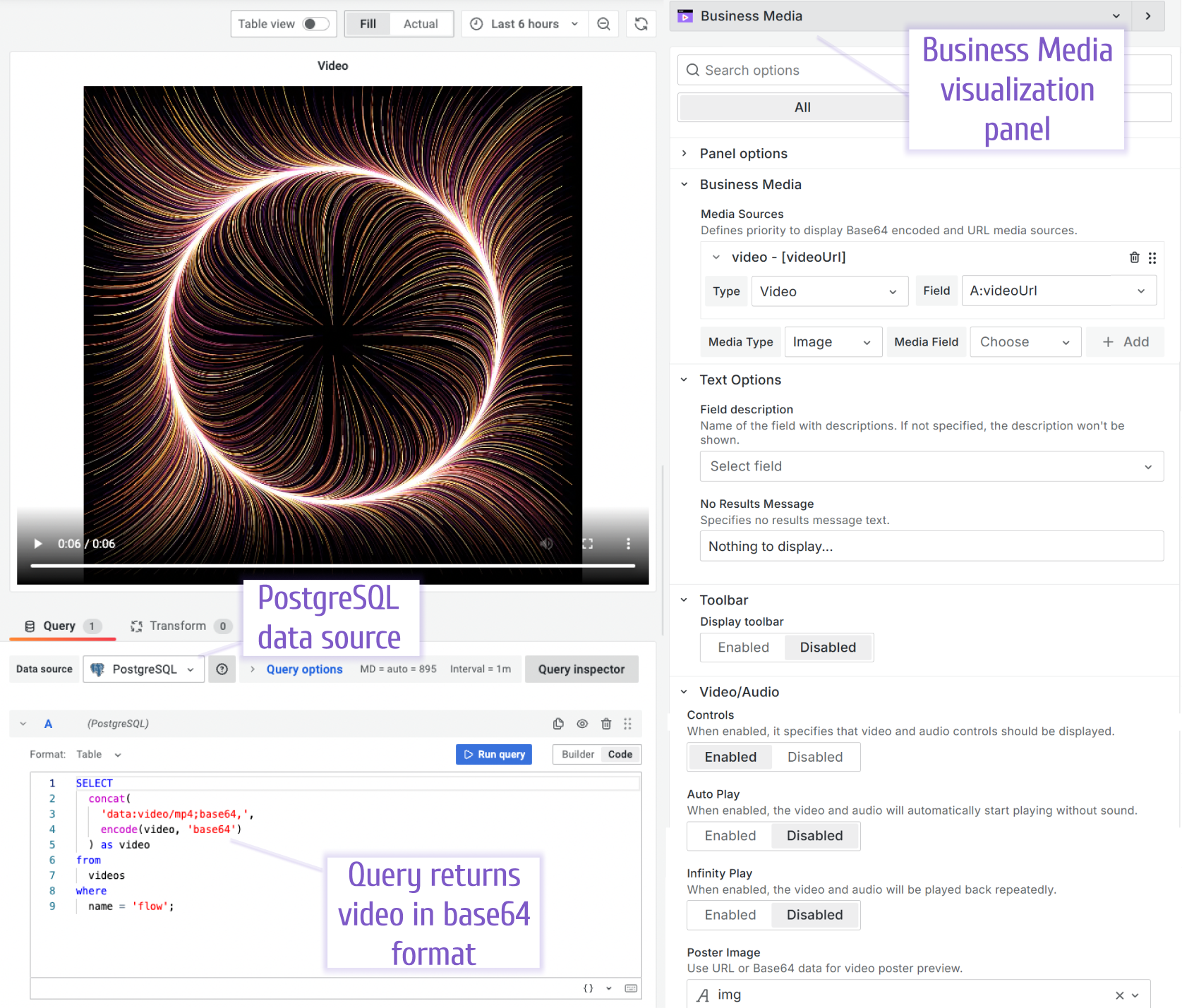
PostgreSQL includes functions for working with the base64 format.
SELECT CONVERT_FROM (DECODE('SGVsbG8gV29ybGQh', 'BASE64'), 'UTF-8');
SELECT ENCODE (CONVERT_TO('Hello World!', 'UTF-8'), 'BASE64');
Loading media files into the database
Create tables to store images, video, and audio files:
CREATE TABLE images (name text, img bytea, UNIQUE(name));
CREATE TABLE videos (name text, video bytea, UNIQUE(name));
CREATE TABLE audios (name text, audio bytea, UNIQUE(name));
Load PDF, PNG, MP4, MP3, and other supported file formats into your database using the Node.js script.


