
Menu
Documentation Grafana Cloud
Monitor applications
Application Observability
Integrate with Frontend Observability
Grafana Cloud
Monitor applications
Application Observability
Integrate with Frontend Observability
Grafana Cloud
Monitor applications
Application Observability
Integrate with Frontend ObservabilityGrafana Cloud
Integrate Application Observability with Frontend Observability
You can integrate Application Performance Monitoring (APM) with Real User Monitoring (RUM) and include services that are monitored with Grafana Cloud Frontend Observability in the Service Map and Service Graph.
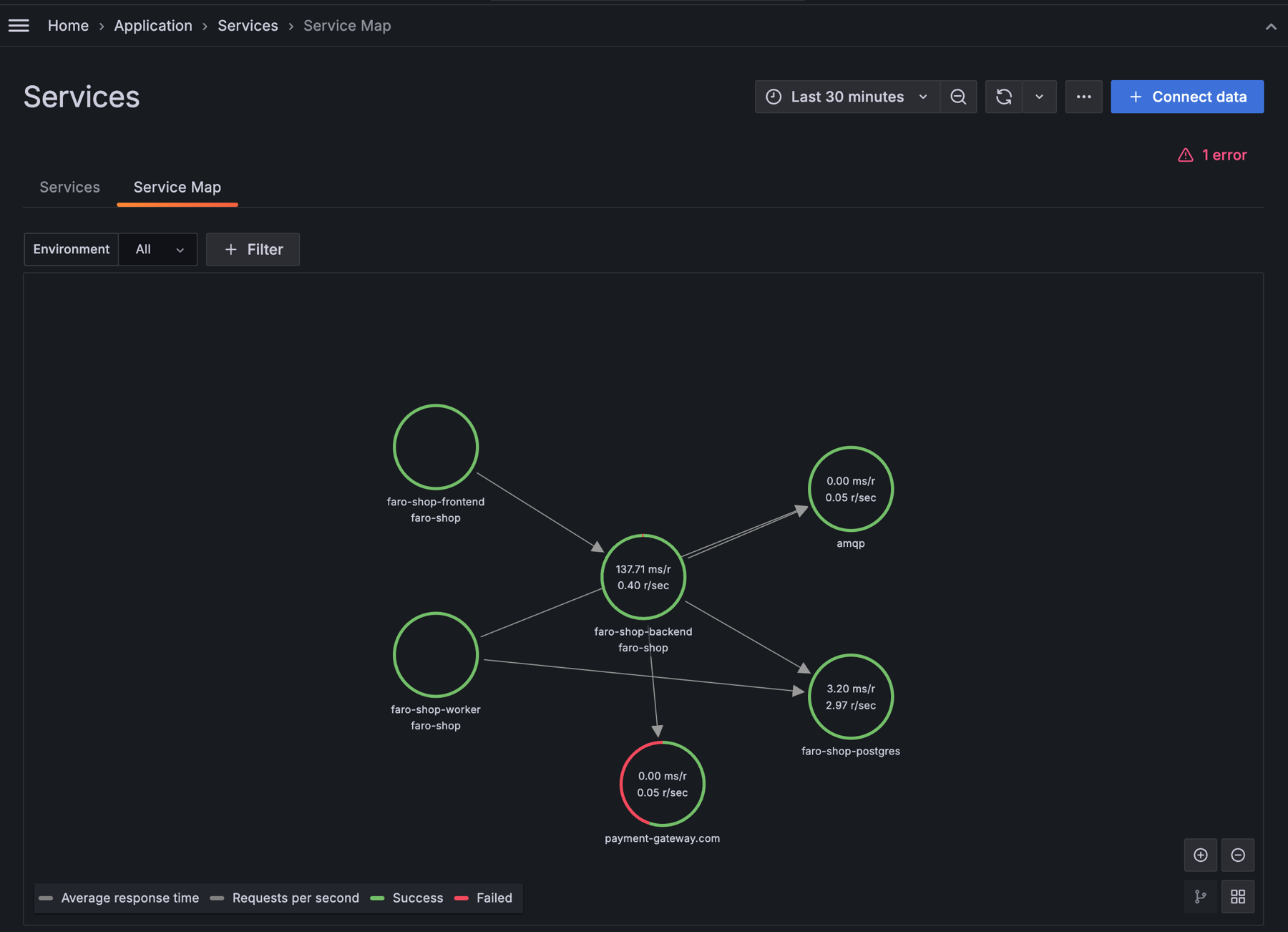
Enable WebApps in the Application Observability configuration
- Navigate to Observability > Application > Configuration in your Grafana Cloud Instance.
- Select the Settings tab.
- Enable Include Webapps and Mobile Devices.
Navigate between frontend and backend monitoring seamlessly
After enabling Webapps and Mobile Devices on the Configuration page, you can:
- easily navigate between Application Observability Services and Real User Monitoring services.
- navigate between traces in Application Observability and user sessions in Frontend Observability.
Learn more
For more details, refer to the Frontend Observability documentation on the APM integration.


