Menu
Choose a product
Scroll for more
Grafana Cloud
Get started with telemetry signals
Telemetry signals, including metrics, logs, traces, and profiles, are the data your systems generates to help you understand their behavior. Understand the core observability signals and how Grafana products use them to explore real data.
What you’ll learn
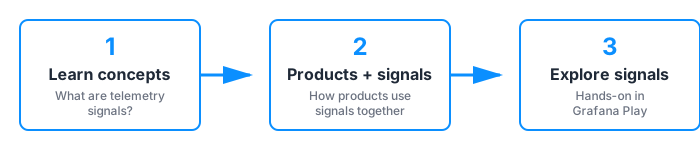
This guide walks you through three areas: understanding the core telemetry signals, learning how Grafana Cloud products use those signals, and exploring real data hands-on.
Next steps
| Topic | Description |
|---|---|
| What are telemetry signals? | Learn about metrics, logs, traces, and profiles—and when to use each |
| How products use signals | Choose the right Grafana product and understand data collection options |
| Quick start | Explore all four signals hands-on using Grafana Play (no setup required) |
Was this page helpful?
Related resources from Grafana Labs
Additional helpful documentation, links, and articles:
Video

Getting started with managing your metrics, logs, and traces using Grafana
In this webinar, we’ll demo how to get started using the LGTM Stack: Loki for logs, Grafana for visualization, Tempo for traces, and Mimir for metrics.
Video

Intro to Kubernetes monitoring in Grafana Cloud
In this webinar you’ll learn how Grafana offers developers and SREs a simple and quick-to-value solution for monitoring their Kubernetes infrastructure.
Video

Building advanced Grafana dashboards
In this webinar, we’ll demo how to build and format Grafana dashboards.