Menu
Choose a product
Scroll for more
Documentation
Grafana Cloud
Visualize data
Simplified exploration
Profiles Drilldown
Access or install
Profile settings
Grafana Cloud
Profiles settings
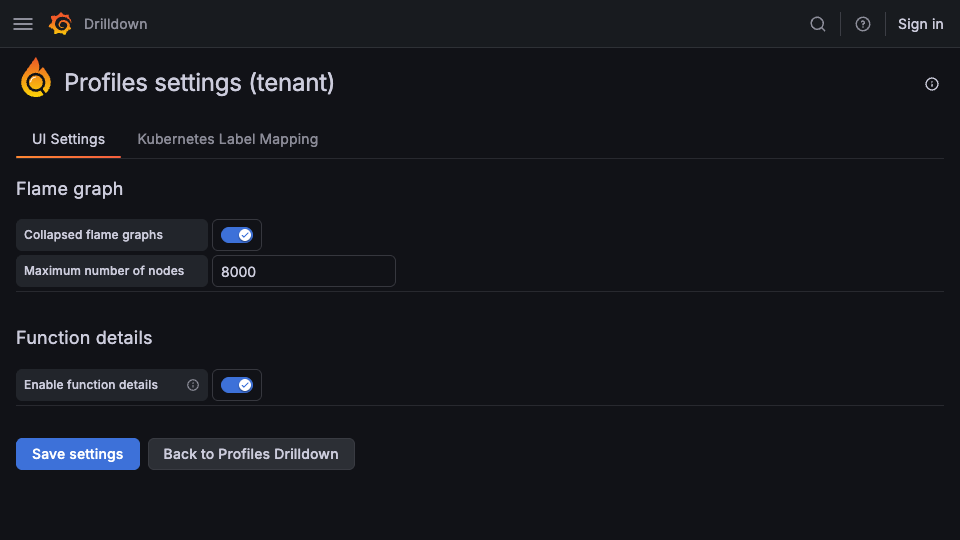
The Profiles settings page lets you modify flame graph and function-details options used by Profiles Drilldown.
| Features | Options | Explanation |
|---|---|---|
| Collapsed flame graph | Default: Off | When this feature is active, you can collapse flame graphs to minimize their screen space. |
| Maximum number of nodes | Default: 16384 | This setting controls the maximum number of nodes in the flame graph. Higher values render more detail and can increase rendering time. |
| Enable function details | Default: On | Enables mapping of resource usage to lines of source code. If the GitHub integration is configured, then the source code is downloaded from GitHub. |
Modify settings
To change the settings for Profiles Drilldown:
- Sign in to your Grafana instance.
- Select Drilldown > Profiles in the left navigation.
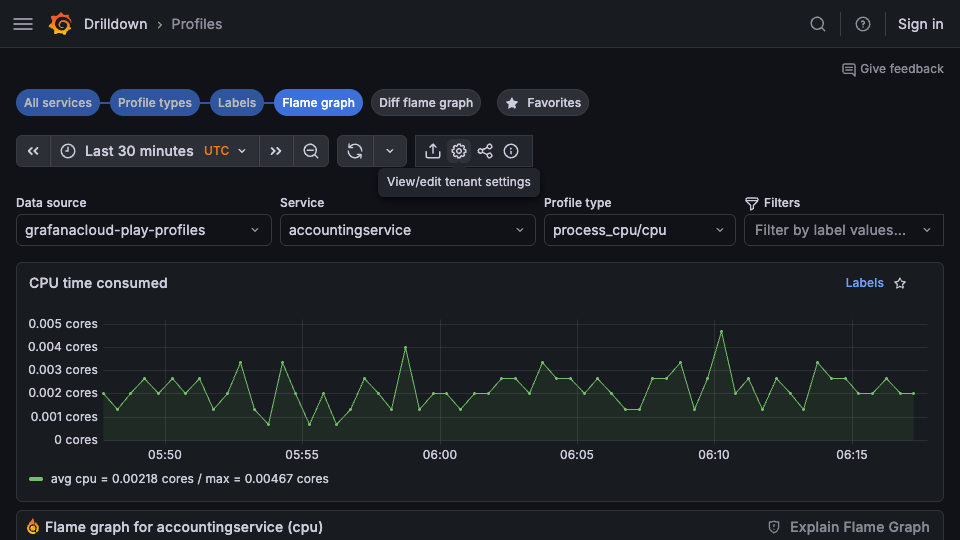
- Select View/edit tenant settings in the top toolbar.
![Access tenant settings from the Profiles toolbar]()
- Change any options as desired.
- Select Save settings to preserve the changes.
Was this page helpful?
Related resources from Grafana Labs
Additional helpful documentation, links, and articles:
Video

Getting started with managing your metrics, logs, and traces using Grafana
In this webinar, we’ll demo how to get started using the LGTM Stack: Loki for logs, Grafana for visualization, Tempo for traces, and Mimir for metrics.
Video

Intro to Kubernetes monitoring in Grafana Cloud
In this webinar you’ll learn how Grafana offers developers and SREs a simple and quick-to-value solution for monitoring their Kubernetes infrastructure.
Video

Building advanced Grafana dashboards
In this webinar, we’ll demo how to build and format Grafana dashboards.