
 Saved queries: New interface and improved filtering experience
Saved queries: New interface and improved filtering experience
We’ve updated the saved queries experience to improve usability.
The Saved queries drawer has been replaced with a dialog box, providing more space for query titles, data source names, and other query details. The individual query cards also have a refreshed design, allowing for easier readability.
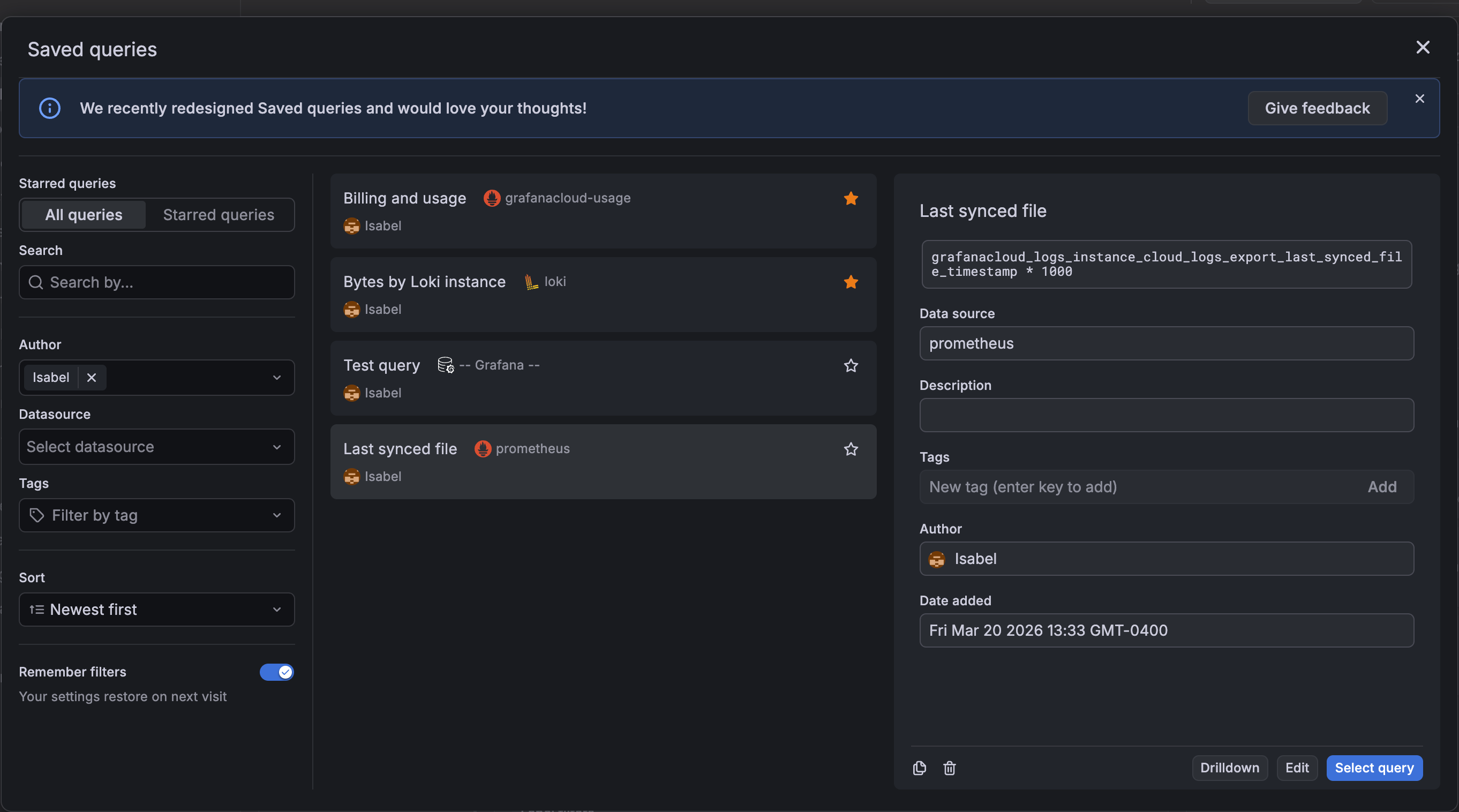
The Favorites tab has been replaced with a Starred queries filter view and any search, filter, or sort options you set on the All view apply to this view as well.
We’ve added a Remember filters switch, which lets you persist your filter selections across sessions in your local storage. With this addition, you no longer have to reset filters or searches that you consistently use every time you come back to saved queries.
Finally, the lock/unlock option and the Recent tab have been removed.
These updates deliver a cleaner interface and a more consistent way to discover, manage, and reuse saved queries.
