

Create an escalation chain
In this milestone, you create a basic escalation chain as the next step of your alert flow.
Escalation chains define a sequence of notification steps for Alert groups: who gets notified, when they get notified, and what to do if an Alert group remains unacknowledged. A well-designed escalation chain ensures timely attention from the right people while avoiding unnecessary noise.
For this example, you configure an escalation chain that notifies the current on-call user, then escalates to the broader team after 5 minutes if the alert remains unacknowledged:
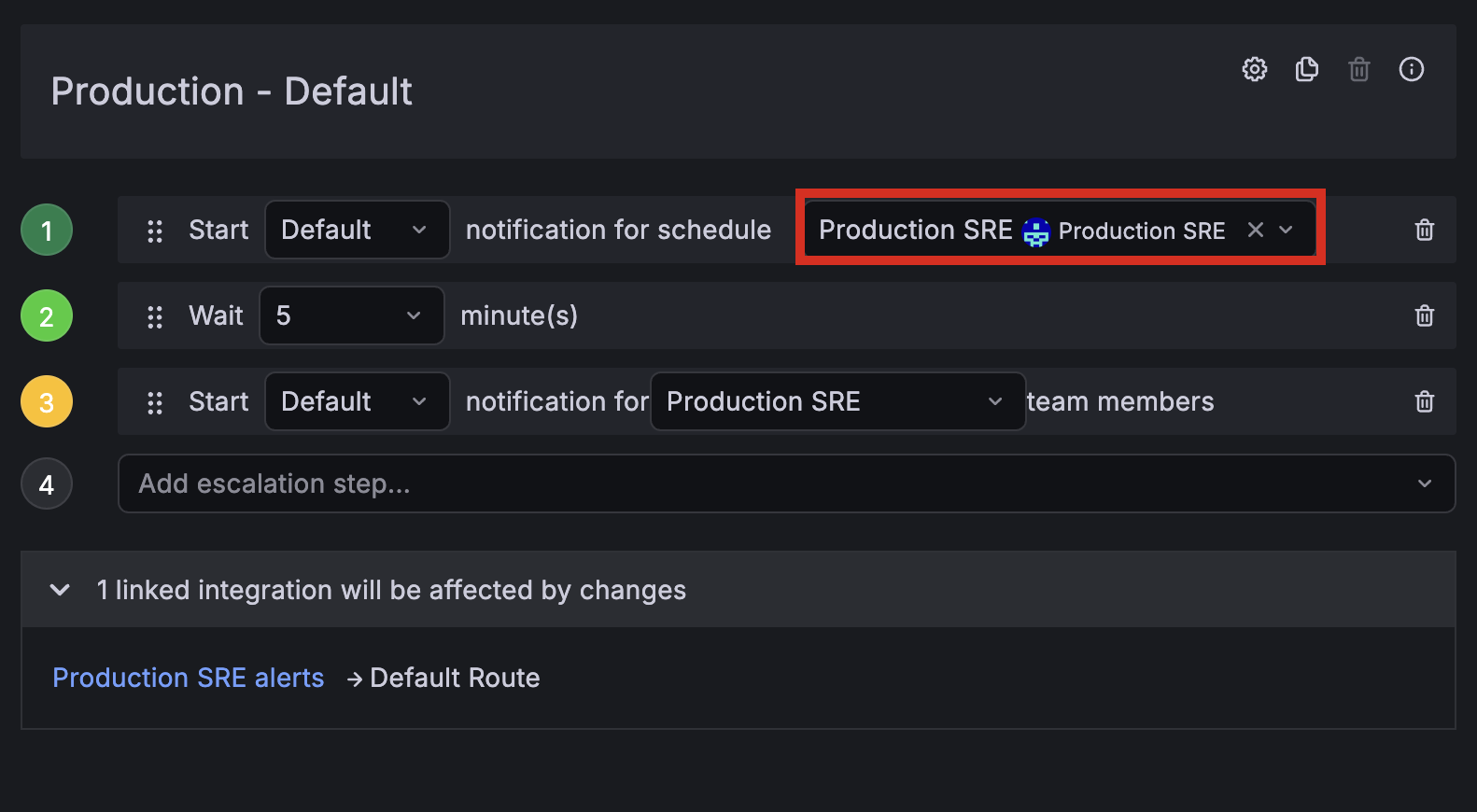
To create the escalation chain, complete the following steps:
Create a new escalation chain.
Now add the notification, wait, and escalation steps. The first step pages the on-call user from your schedule, the second waits 5 minutes, and the third escalates to the broader team.
Add steps to your escalation chain.
Note: For each notification step, you can choose Default or Important notification rules. Important is for critical, time-sensitive alerts. If you’re not sure which to pick, set Default for now and update later. Make sure team members configure their personal notification rules for both rule sets.
Your escalation chain now routes Alert groups to the current on-call responder from your schedule, waits 5 minutes, then escalates to the broader team if unacknowledged.
In the next milestone, you connect Grafana Alerting as the alert source that feeds this escalation chain.