





























 Learning Journeys
Detect customer-visible outages using Synthetic Monitoring
Create a ping check
Learning Journeys
Detect customer-visible outages using Synthetic Monitoring
Create a ping checkCreate a ping check
A ping check is the simplest type of synthetic check. It tests whether an endpoint is reachable by sending ICMP packets to a target host and measuring the response time. Ping checks verify basic network connectivity and availability without testing application-level functionality.
Ping checks are ideal for monitoring infrastructure components, verifying that servers are online, and establishing baseline network latency measurements. They run quickly and use minimal resources, making them suitable for frequent monitoring intervals.
To create a ping check, complete the following steps:
- On the Synthetic Monitoring home page, click Create a check or Add new check.
- Click API endpoint.
- In the Job name field, enter a descriptive name for your check.
For example,
grafana-ping-check. - Under Request type, click Ping.
- In the Request target field, enter the hostname or IP address to ping.
If you don’t have a service ready for testing, you can use
grafana.com.
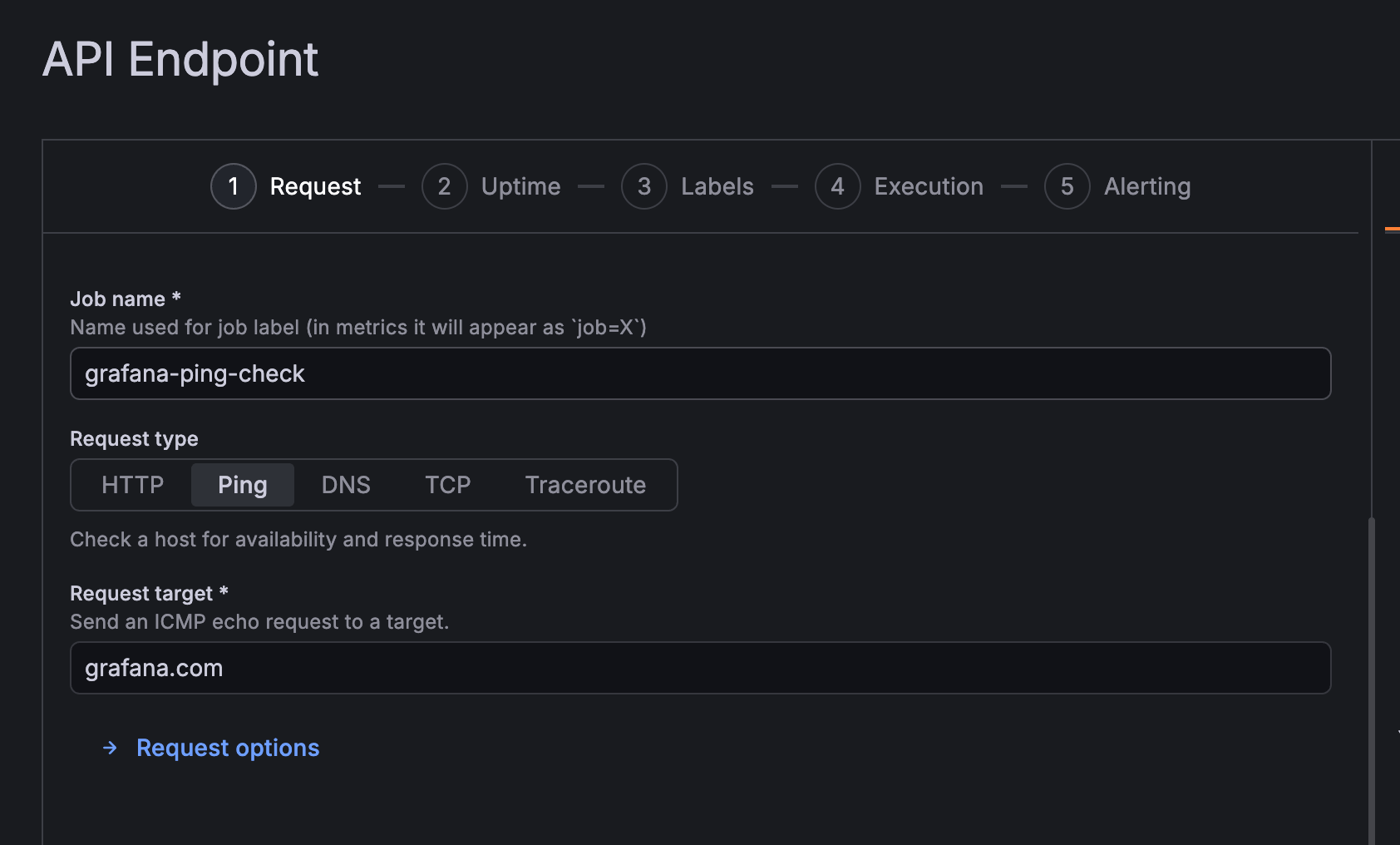
The check configuration form displays your Job name and Target. To finish setting up your check, you must now configure where and how often it runs.
While the UI shows a series of numbered steps, these settings are located in the Execution section.
Note
In the configuration stepper at the top of the page, click 4 (which may appear as the Execution label on larger screens) to access probe locations and frequency settings.
In the next milestone, you’ll learn how to navigate this execution step to select your probe locations.
At this point in your journey, you can explore the following paths: